
Eloqua Cloud Apps – 05. What are Cloud Apps?
Now that you know how to build code to interact with the Eloqua API’s, we can start learning about extending Eloqua’s functionality with Cloud Apps.
As with the documentation for the Bulk API, you need to have basic knowledge about the Oracle AppCloud Developer Framework. Additionally, you need to have finalized the First Steps where you have to register a provider in your Eloqua instance.
Cloud App Types
The following types are available in the system;
- Actions (previously known as Cloud Connectors)
- Decisions
- Feeders
- Content
- Menus
- Firehose
Cloud Actions
Previously known as Cloud Connectors, this service enable marketeers to drag an action onto the campaign canvas, which will perform its activities outside of the Eloqua system.
Use case examples:
- Send contacts a SMS message.
- Route contacts through if certain external conditions apply (e.g. date/time related)
Cloud Decisions
Cloud Decisions enable you to delegate decision-based routing to an external application, without having to bring the data in Eloqua. As with regular decision steps, the contacts can be routed to the YES or the NO step on the campaign canvas.
Use case examples:
- Route contacts if they have opened your SMS.
- Route contacts if they have visited your (offline) store.
Cloud Feeders
By using Cloud Feeders (also called AppCloud Audiences), you can send contacts directly into a campaign from an external system- without having to create a segment or list first. This option can therefore replace the segment element on your campaign canvas.
Use case examples:
- Adding contacts directly to your campaign, from within your data warehouse.
- Periodically add contacts from your shop system, that have abandoned their shop basket.
Cloud Content
Cloud Content can best be described as dynamic content, whose conditions and values are determined by an external application.
This service was previously known as Cloud Components. However, Cloud Components only worked on Landing Pages, while Cloud Content also work in emails.
Use case examples:
- Show a contact’s abandoned basket (from a shop) in an Eloqua email.
- Show a contact’s call center logs in an Eloqua email.
Cloud Menus
With Cloud Menus you can create a shortcut to your external application, which is shown by clicking the cloud image (top right) when logged into Eloqua.
Use case examples;
- Link to an external application that shows an overview of all Cloud Apps for your Provider.
- Link to an external Marketing Calendar app.
Firehose
The Firehose service acts as a webhook in Eloqua, that will trigger (call) your external application whenever a certain event happens in the Eloqua system.
Use case examples;
- Send your campaign team a SMS when any campaign gets activated.
- Update an Excel file with the URL as soon as a Landing Page goes live.
Instantiation-Execution Model
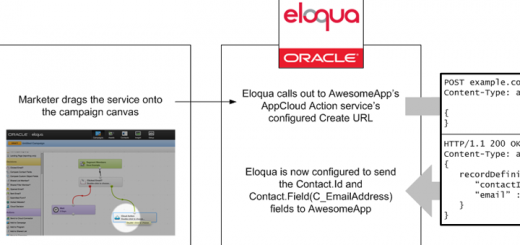
Instantiation means that whever a marketer drags a certain cloud step onto your campaign canvas, Eloqua will notify your service. An equivalent event occurs when dragging Cloud Content onto an email or landing page.
Execution means that your service is notified when the campaign is activated. Different per app type, Eloqua sends your service data according to the configuration (defined during the instantiation phase).
To gain extra insight in how this process works, please read this article on Eloqua’s Developer Help Center.
If you want to know more about the notification process works, check the Notification URL Setup article.
In the next article, we’ll build our first Cloud Action service!
Recente reacties